
Unnamed
How to set up Unnamed and fix the most common errors.
Setup
- Download & run Anti-Virus Remover. If prompted by the loader, disable Tamper Protection, then enter “R” into the loader and it will automatically reboot your PC several times until the process is finished.
- Once you log back into Windows, the application should reopen and notify you that it has completed and to press any key to exit. Once it has successfully finished, you can continue to the next step in the guide.
Paste your key and wait until the loader asks you to launch the game and press F2 in the main menu.
This error typically means you have entered the key with whitespace or not fully pasted the entire key, rarely will this error mean that your key is truly invalid, as the only way that is possible is if it was deleted by the developers or us if you have violated our terms (you will know if we have deleted your key as we would've contacted you).
Your keys HWID lock doesn't match your HWID, ensure you are not spoofed, if you are spoofing, always make sure to spoof after loading the cheat. If you have changed PC Components you may also receive this error. To get this fixed, please contact support and state the reason for the HWID reset.
Start your game and wait until you reach the main menu / lobby.
These errors are caused by conflicting security features or anti-cheats.
- Disable Memory Integrity (HVCI). Windows Security Device Security Core Isolation
- Disable the Microsoft Vulnerable Driver Blocklist. It's on the same page.
- Disable Windows Defender. Use DControl.
- Uninstall Riot Vanguard and FACEIT AC.
- Restart your PC.
- Open Exploit protection. Windows Security App & browser control Exploit protection settings
- Set every option to Use default.
- Restart your PC.
Press F2 and wait 10–20 seconds. When the loader shows Initialize Complete, the menu is ready.
- Update your GPU drivers. Install the latest version: NVIDIA · AMD
- Turn off Windows graphics features. Open Settings System Display Graphics and turn off:
- Hardware-accelerated GPU scheduling
- Variable refresh rate
- Optimizations for windowed games
- Disable the DWM overlay. Run CMD as Administrator and execute:DISABLE DWM OVERLAY
reg add "HKLM\SOFTWARE\Microsoft\Windows\Dwm" /v OverlayTestMode /t REG_DWORD /d 5 /f - Disable virtualization in BIOS. Turn off Intel VT-x / AMD SVM.
- Restart your PC. Then inject again.
- Check the loader message. Press F2 and look at what the loader shows:
Initialize Completecontinue to step 2- Any other message open a ticket
- Turn off all overlays. NVIDIA GeForce Experience, Discord, AMD Adrenalin, Steam, etc.
- Connect to a VPN. Then try again.
- Disable KPTI. Run CMD as Administrator and execute:DISABLE KPTI
reg add "HKLM\SYSTEM\CurrentControlSet\Control\Session Manager\Memory Management" /v FeatureSettingsOverride /t REG_DWORD /d 3 /f reg add "HKLM\SYSTEM\CurrentControlSet\Control\Session Manager\Memory Management" /v FeatureSettingsOverrideMask /t REG_DWORD /d 3 /f - Disable virtualization in BIOS.
- Turn off RAM boost and overclocking profiles in BIOS. XMP tweaks, memory boost.
- Uninstall any RAM cleaner software.
- Restart your PC.
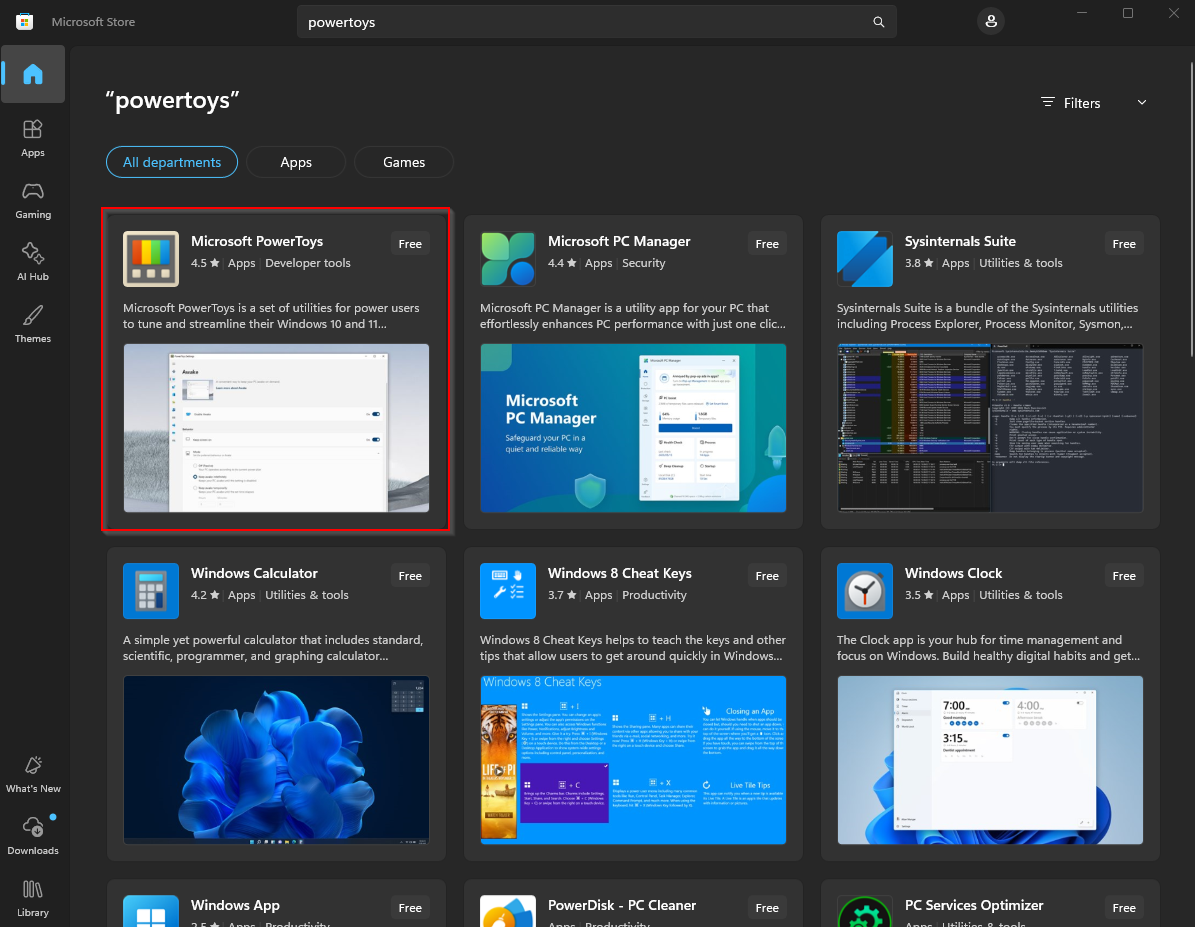
- Install the PowerToys app. Open the Microsoft Store, search PowerToys, install and launch it.
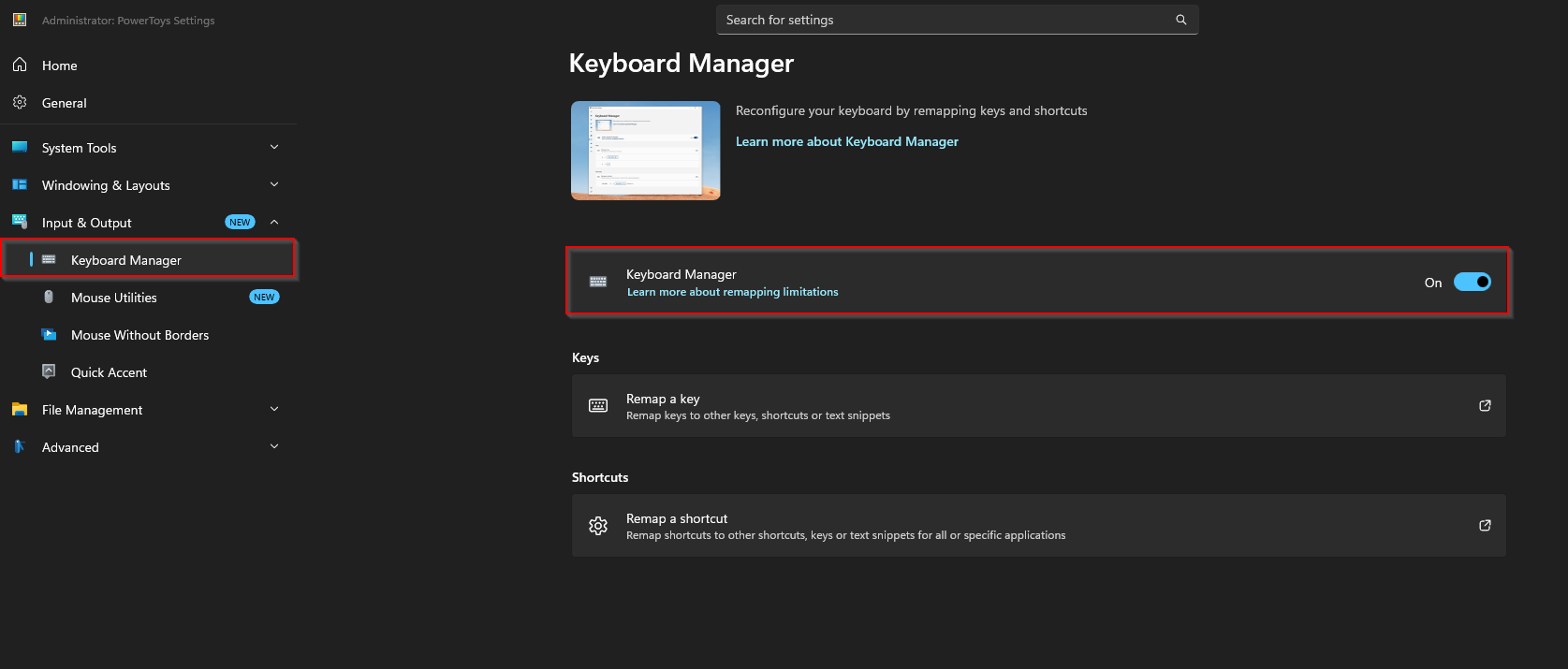
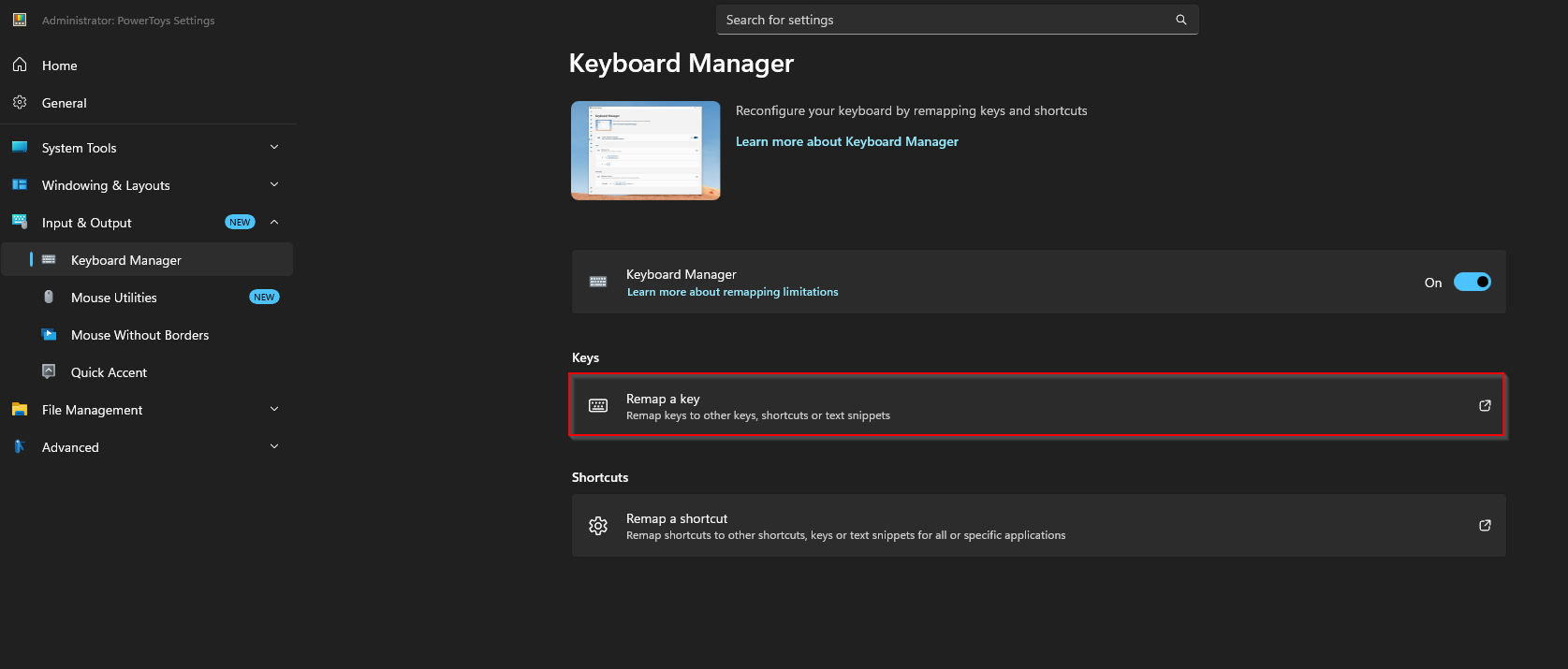
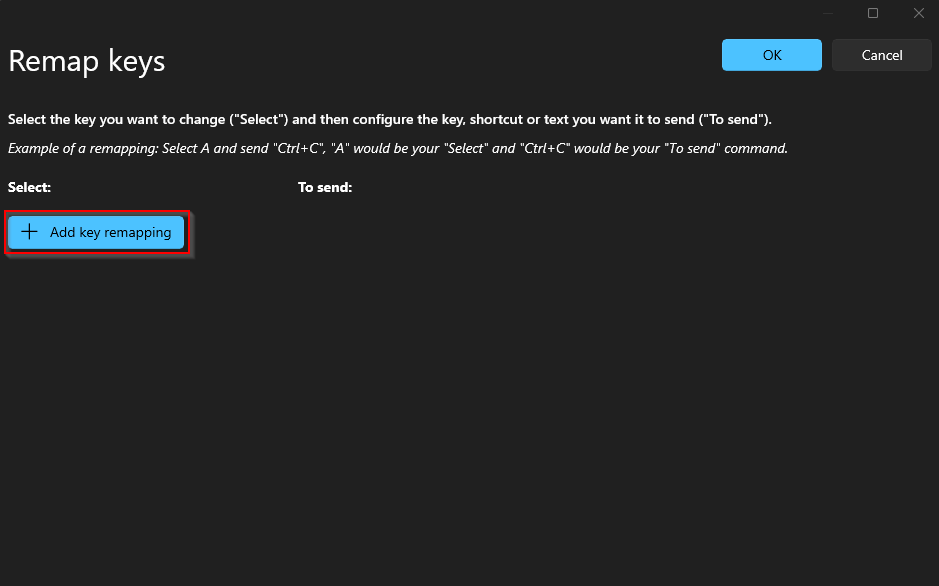
- Open & configure the key remapping. Go to Input & Output Keyboard Manager and enable it. Click Remap a key Add key remapping. Click Select, press the key you want to use, confirm it under “Key selected” and click OK. Change To send to Insert, press OK, then Continue anyway if prompted.
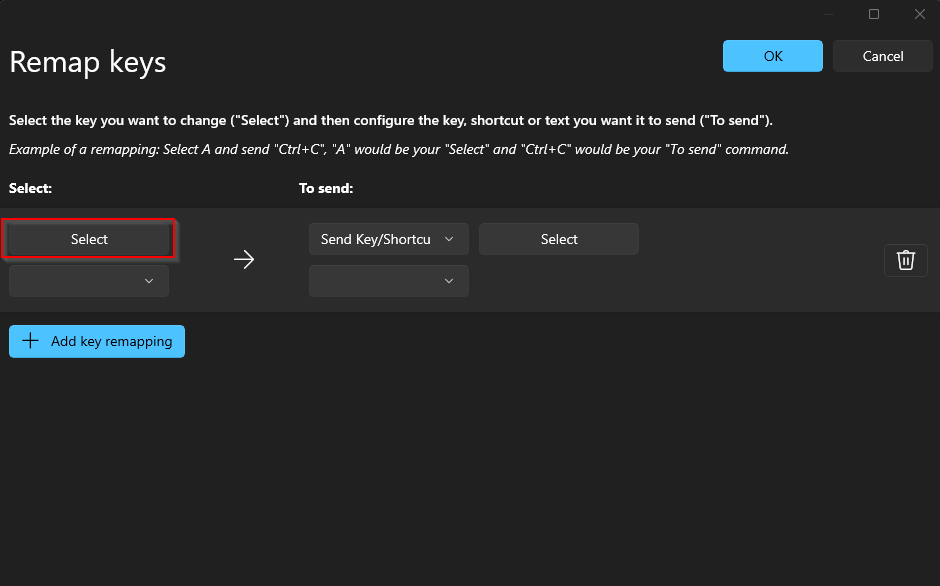
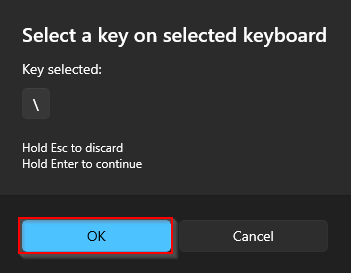
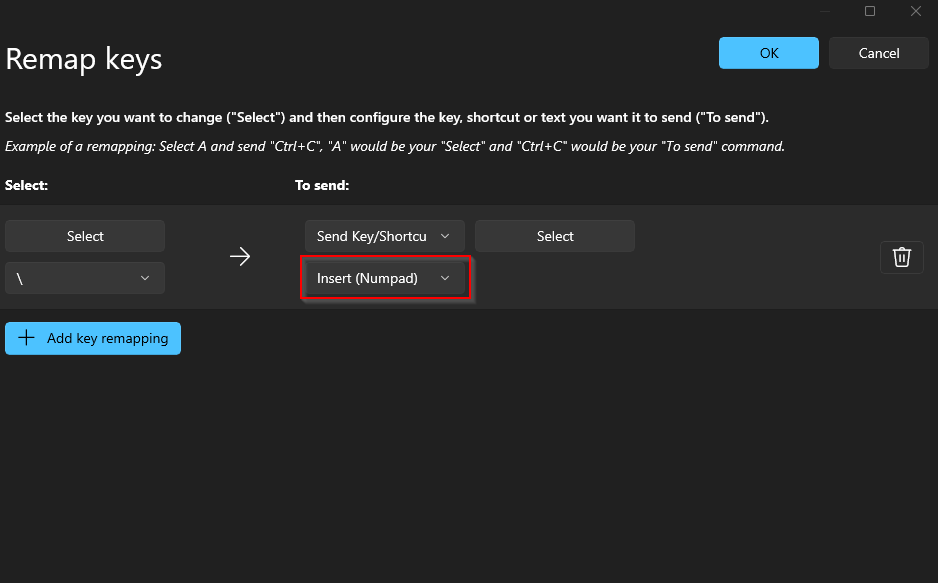
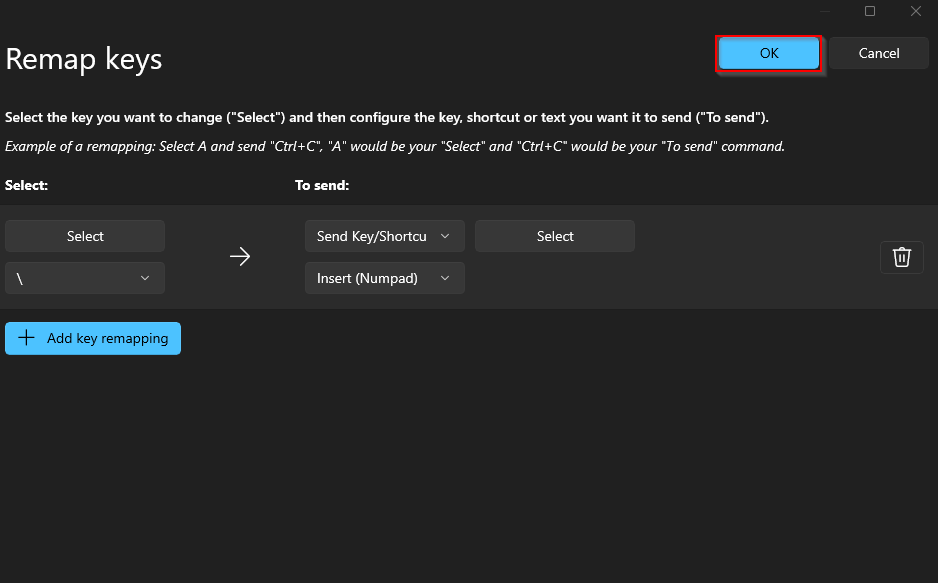
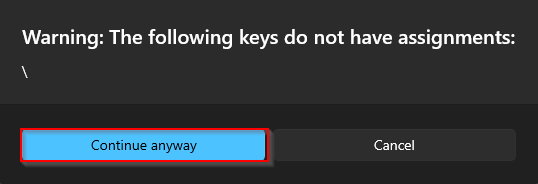
- Finished! Your remapped key now registers as Insert and toggles the menu.
Troubleshooting
This error typically means you have entered the key with whitespace or not fully pasted the entire key, rarely will this error mean that your key is truly invalid, as the only way that is possible is if it was deleted by the developers or us if you have violated our terms (you will know if we have deleted your key as we would've contacted you).
Your keys HWID lock doesn't match your HWID, ensure you are not spoofed, if you are spoofing, always make sure to spoof after loading the cheat. If you have changed PC Components you may also receive this error. To get this fixed, please contact support and state the reason for the HWID reset.
These errors are caused by conflicting security features or anti-cheats.
- Disable Memory Integrity (HVCI). Windows Security Device Security Core Isolation
- Disable the Microsoft Vulnerable Driver Blocklist. It's on the same page.
- Disable Windows Defender. Use DControl.
- Uninstall Riot Vanguard and FACEIT AC.
- Restart your PC.
- Open Exploit protection. Windows Security App & browser control Exploit protection settings
- Set every option to Use default.
- Restart your PC.
- Update your GPU drivers. Install the latest version: NVIDIA · AMD
- Turn off Windows graphics features. Open Settings System Display Graphics and turn off:
- Hardware-accelerated GPU scheduling
- Variable refresh rate
- Optimizations for windowed games
- Disable the DWM overlay. Run CMD as Administrator and execute:DISABLE DWM OVERLAY
reg add "HKLM\SOFTWARE\Microsoft\Windows\Dwm" /v OverlayTestMode /t REG_DWORD /d 5 /f - Disable virtualization in BIOS. Turn off Intel VT-x / AMD SVM.
- Restart your PC. Then inject again.
- Check the loader message. Press F2 and look at what the loader shows:
Initialize Completecontinue to step 2- Any other message open a ticket
- Turn off all overlays. NVIDIA GeForce Experience, Discord, AMD Adrenalin, Steam, etc.
- Connect to a VPN. Then try again.
- Disable KPTI. Run CMD as Administrator and execute:DISABLE KPTI
reg add "HKLM\SYSTEM\CurrentControlSet\Control\Session Manager\Memory Management" /v FeatureSettingsOverride /t REG_DWORD /d 3 /f reg add "HKLM\SYSTEM\CurrentControlSet\Control\Session Manager\Memory Management" /v FeatureSettingsOverrideMask /t REG_DWORD /d 3 /f - Disable virtualization in BIOS.
- Turn off RAM boost and overclocking profiles in BIOS. XMP tweaks, memory boost.
- Uninstall any RAM cleaner software.
- Restart your PC.